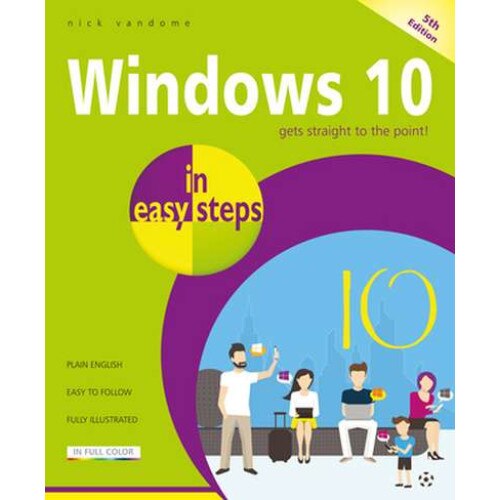
Windows 10 in easy steps, 5th Edition provides full-color and comprehensive coverage of the latest Windows operating system and shows how to get the most out of it, whether you are using a desktop computer or a mobile device. It details the new features and shows how these integrate with the more traditional elements of the operating system, including:
Upgrading to Windows 10 and personalizing it for your needs.
- Getting to grips with the Windows 10 interface, navigating with the Start menu, the Start button, and the Taskbar.
- Customizing the live tiles feature, so that you can create your own look and feel.
- Accessing and downloading apps, and how to work with them and organize them.
- Working with files and folders, and using OneDrive for free storage and sharing files.
- Using Cortana, the Personal Digital Assistant, to search your computer or the web or to perform actions like opening apps or documents.
- Getting online with the web browser, Microsoft Edge, and keeping in touch by email and Skype.
- Perfecting photos, viewing movies, and playing music and games. It also covers the new features in the November 2019 Update, including:
- An updated Start menu that consists of one column, making it more streamlined. (This applies to new PCs and laptops with the September 2019 Update, or new user accounts that are created.)
- A new Light Theme to give the elements of Windows 10 a crisper look and feel.
- A greater range of options for how updates in Windows 10 are handled, giving you more control over the update process.
- It is now possible to uninstall a greater range of the built-in Windows 10 apps, if required.
- The Search box and the button for Cortana have been separated on the Taskbar.
- User accounts can be created so that they can be unlocked without a password, but are just as secure. Windows 10 is one of the most significant upgrades in Microsoft's history and Windows 10 in easy steps, 5th Edition is ideal for newbies and for those wanting to quickly grasp the essentials in the November 2019 Update.
Windows 10 in easy steps, 5th Edition provides full-color and comprehensive coverage of the latest Windows operating system and shows how to get the most out of it, whether you are using a desktop computer or a mobile device. It details the new features and shows how these integrate with the more traditional elements of the operating system, including:
- Upgrading to Windows 10 and personalizing it for your needs.
- Getting to grips with the Windows 10 interface, navigating with the Start menu, the Start button, and the Taskbar.
- Customizing the live tiles feature, so that you can create your own look and feel.
- Accessing and downloading apps, and how to work with them and organize them.
- Working with files and folders, and using OneDrive for free storage and sharing files.
- Using Cortana, the Personal Digital Assistant, to search your computer or the web or to perform actions like opening apps or documents.
- Getting online with the web browser, Microsoft Edge, and keeping in touch by email and Skype.
- Perfecting photos, viewing movies, and playing music and games. It also covers the new features in the November 2019 Update, including:
- An updated Start menu that consists of one column, making it more streamlined. (This applies to new PCs and laptops with the September 2019 Update, or new user accounts that are created.)
- A new Light Theme to give the elements of Windows 10 a crisper look and feel.
- A greater range of options for how updates in Windows 10 are handled, giving you more control over the update process.
- It is now possible to uninstall a greater range of the built-in Windows 10 apps, if required.
- The Search box and the button for Cortana have been separated on the Taskbar.
- User accounts can be created so that they can be unlocked without a password, but are just as secure. Windows 10 is one of the most significant upgrades in Microsoft's history and Windows 10 in easy steps, 5th Edition is ideal for newbies and for those wanting to quickly grasp the essentials in the November 2019 Update.